17 October 2026 · 5 min read
Onboarding ACE in four steps
From an empty workspace to your first goal: the profile, your channels, ONTACE and a goal, screen by screen.
Most teams expect a new engagement platform to take weeks of setup before a single message goes out. ACE is built the other way round. You describe your business once, connect the providers you already pay for, and give ACE a goal. Here is the whole path, using the same screens you'll see on day one.
1. Tell ACE about your business
Setup opens on your company profile. Start with your website: Fill in from website reads your site and drafts the rest of the form, and you can change anything it writes.
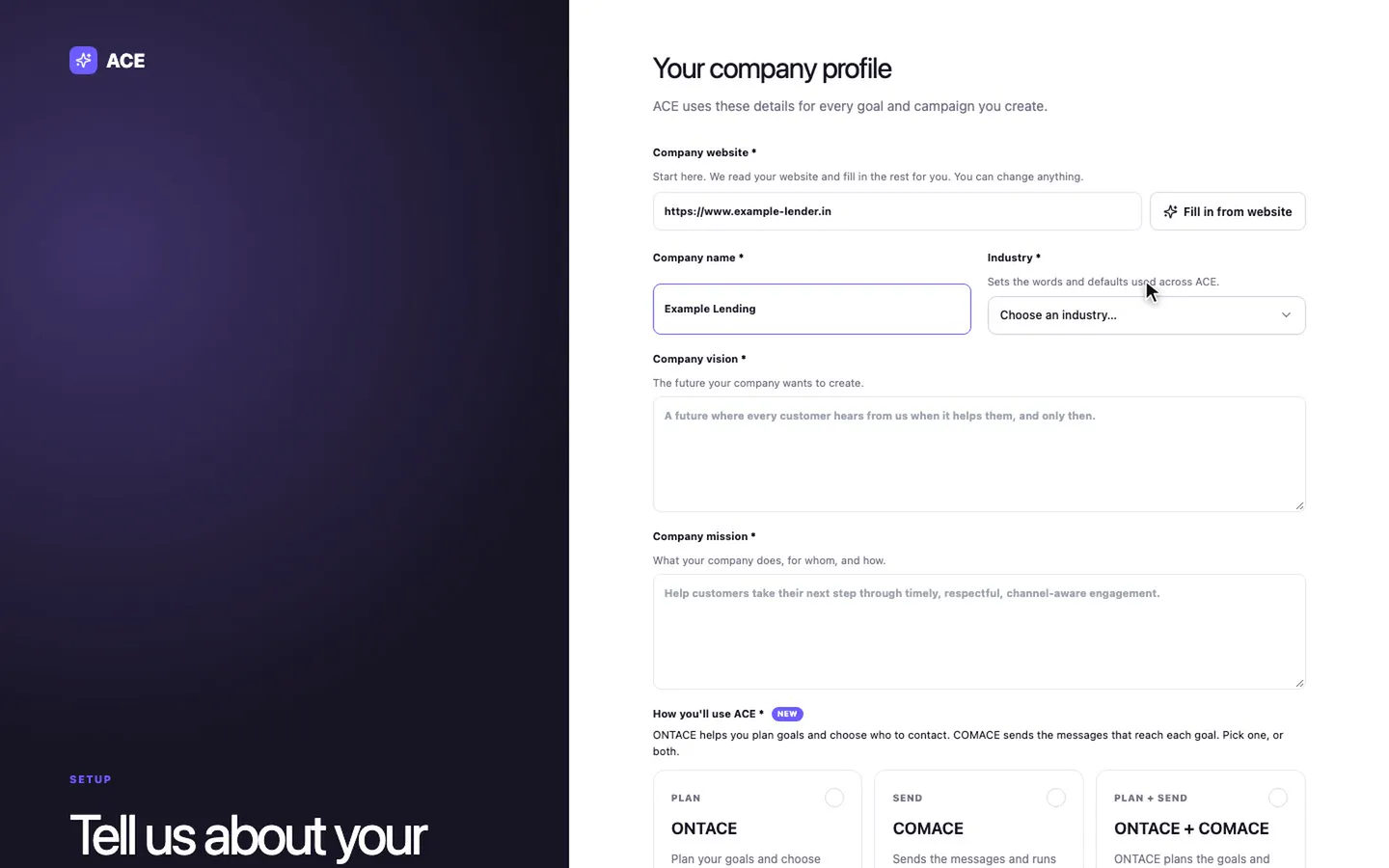
Your industry matters more than it looks. It sets the words and defaults on every screen, so labels and examples fit your kind of business. Then choose how you'll use ACE: ONTACE to decide who to contact and what to do next, COMACE to send the messages, or both together. The first business goal you pick becomes your main goal, and it sets what ACE counts as a result.
Finally, bring in your team. There are nine roles, from campaign manager and content editor to look-only roles for compliance officers, analysts and viewers. ACE checks the role on every action, so auditors can see everything without changing anything.
2. Connect your channels
Providers are the companies that deliver your messages. Add provider walks through six steps: the provider, the channel, your credentials, a check, routing and activation. Nothing carries traffic until its configuration checks out, so a wrong setting can't quietly lose messages.
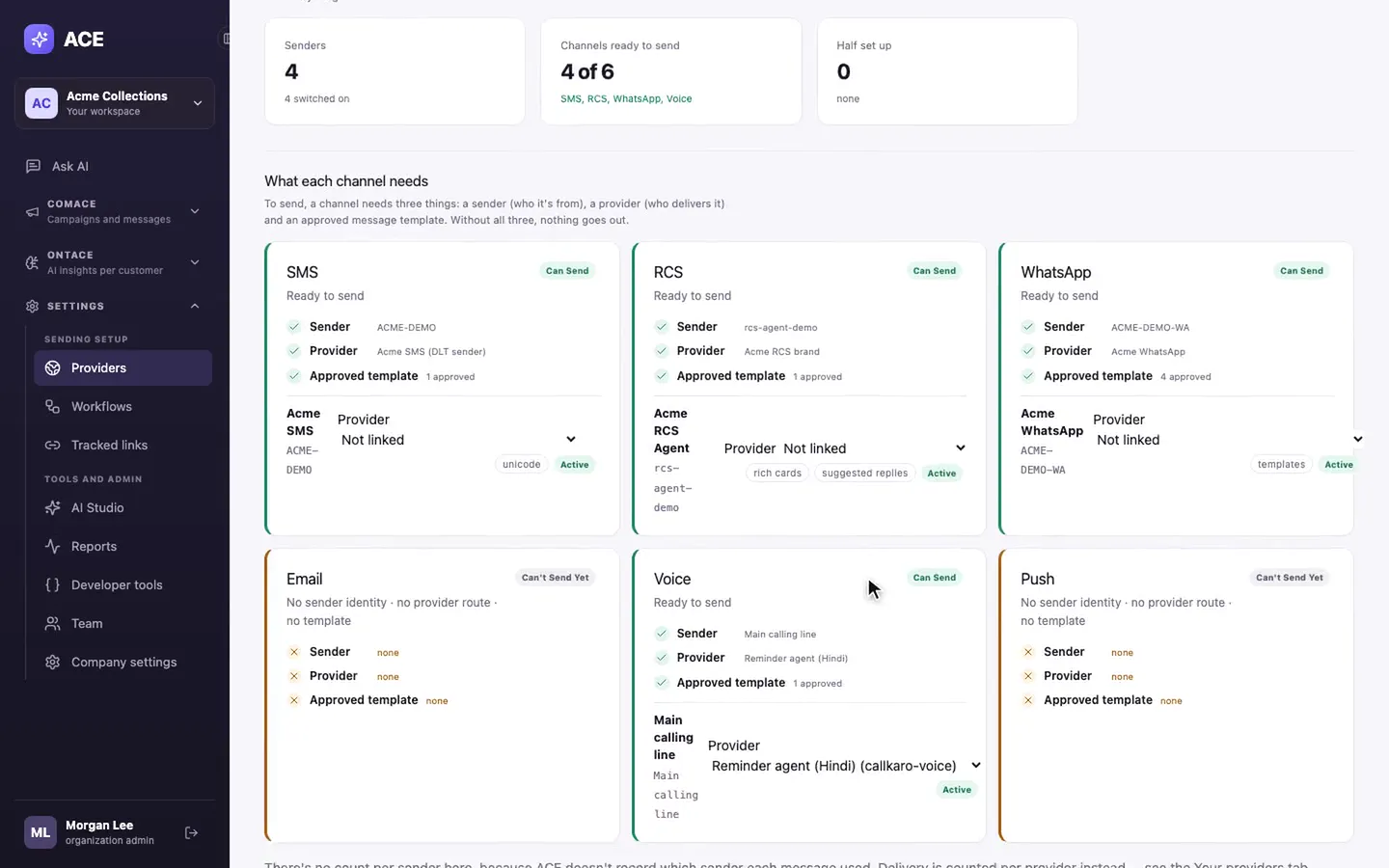
Ready to send? is the checklist that stops surprises. A channel can send only when it has a sender, a provider and an approved template, and the card says exactly what's missing. Add a second provider on a channel and it becomes the backup, so customers aren't missed when one provider has a bad day.
Then bring in your customers. Upload a CSV or Excel file with any column names: ACE reads the headers, finds the phone number column, and asks you to confirm the people in the file agreed to be contacted.
3. Set up ONTACE, one goal at a time
ONTACE is the decision layer. It reads your customer data and works out, for each customer, what they are likely to do and what to do next. You start from a pack built for a common decision:
- EMI collection: who to remind about an overdue instalment
- Sales conversion: who is ready to convert and what to say next
- Subscription renewal: renewals at risk before the date
- Retention: who might leave and what would keep them
- Upsell and cross-sell, engagement, appointment booking, or start from scratch
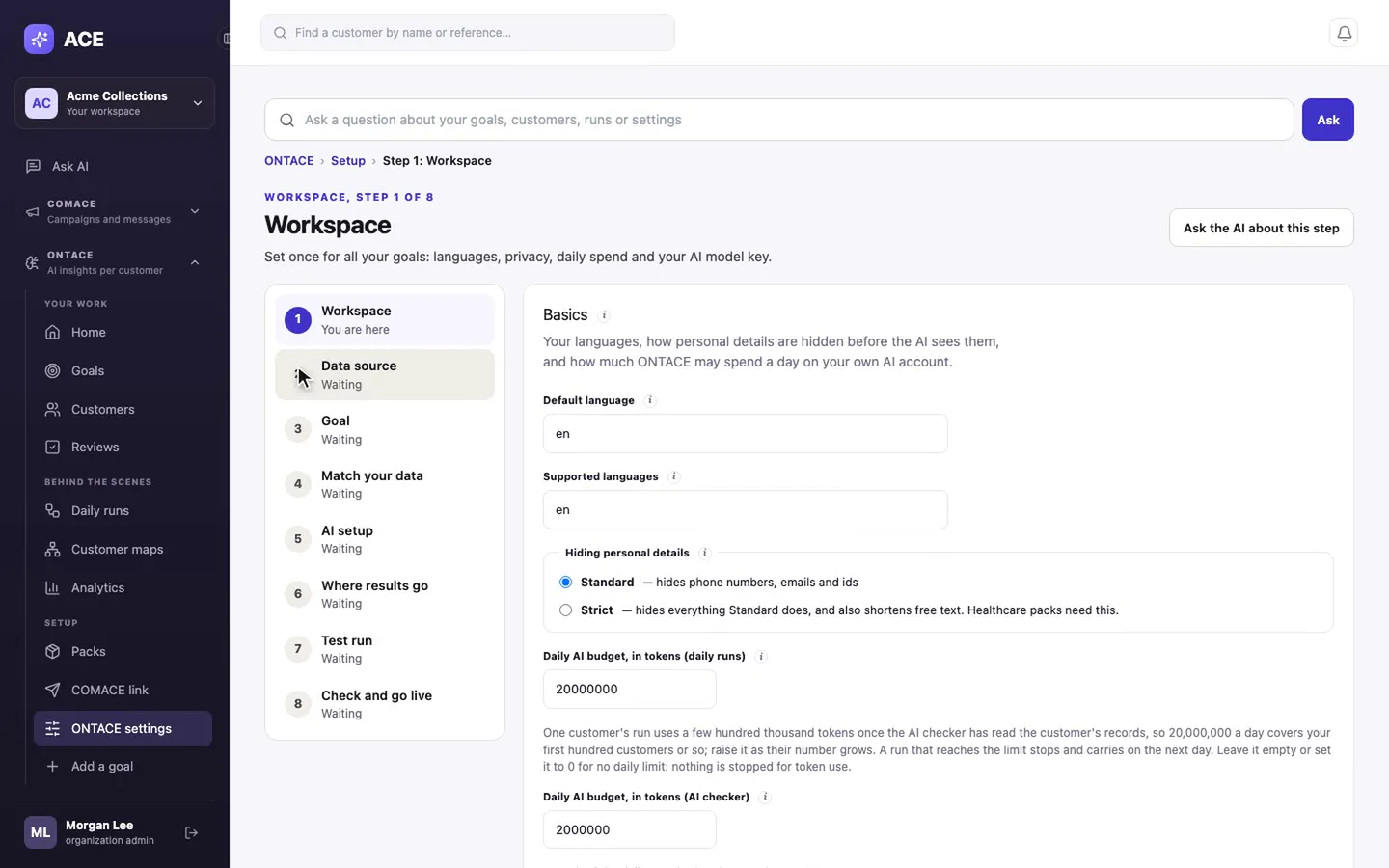
Eight short steps take a goal live: Workspace, Data source, Goal, Match your data, AI setup, Where results go, Test run, and Check and go live. ONTACE runs on your own AI provider account, and the keys are kept in a secret store rather than the database. When the AI isn't sure about a customer, that customer waits in Reviews for a person instead of acting on a guess.
4. Run your first goal
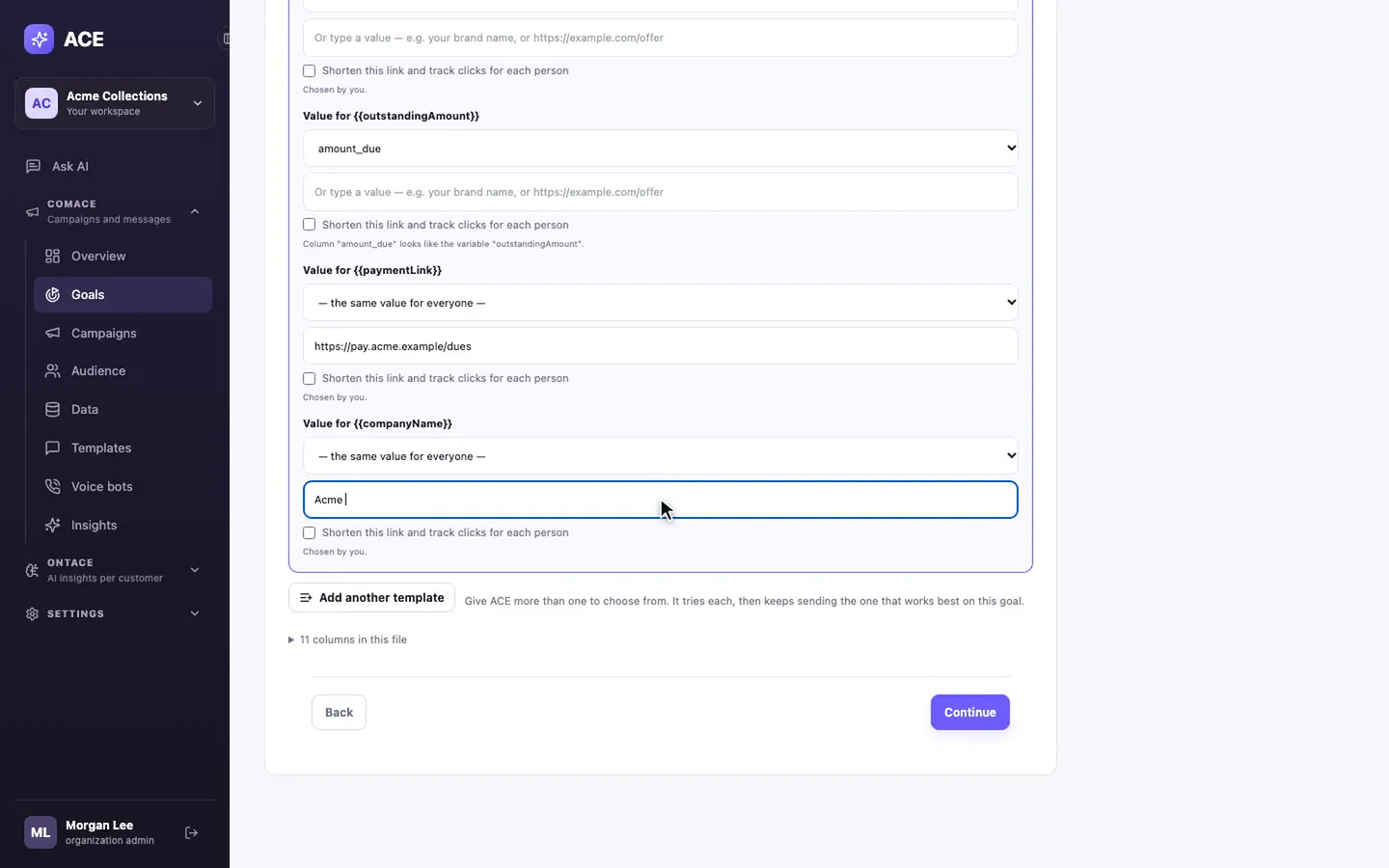
With channels ready and customers loaded, a goal takes six steps: Customers, Goal, Channels, Target, Messages and Review. You say the result you want, for example customers paying what they owe, and ACE plans who to contact, on which channel, and when.
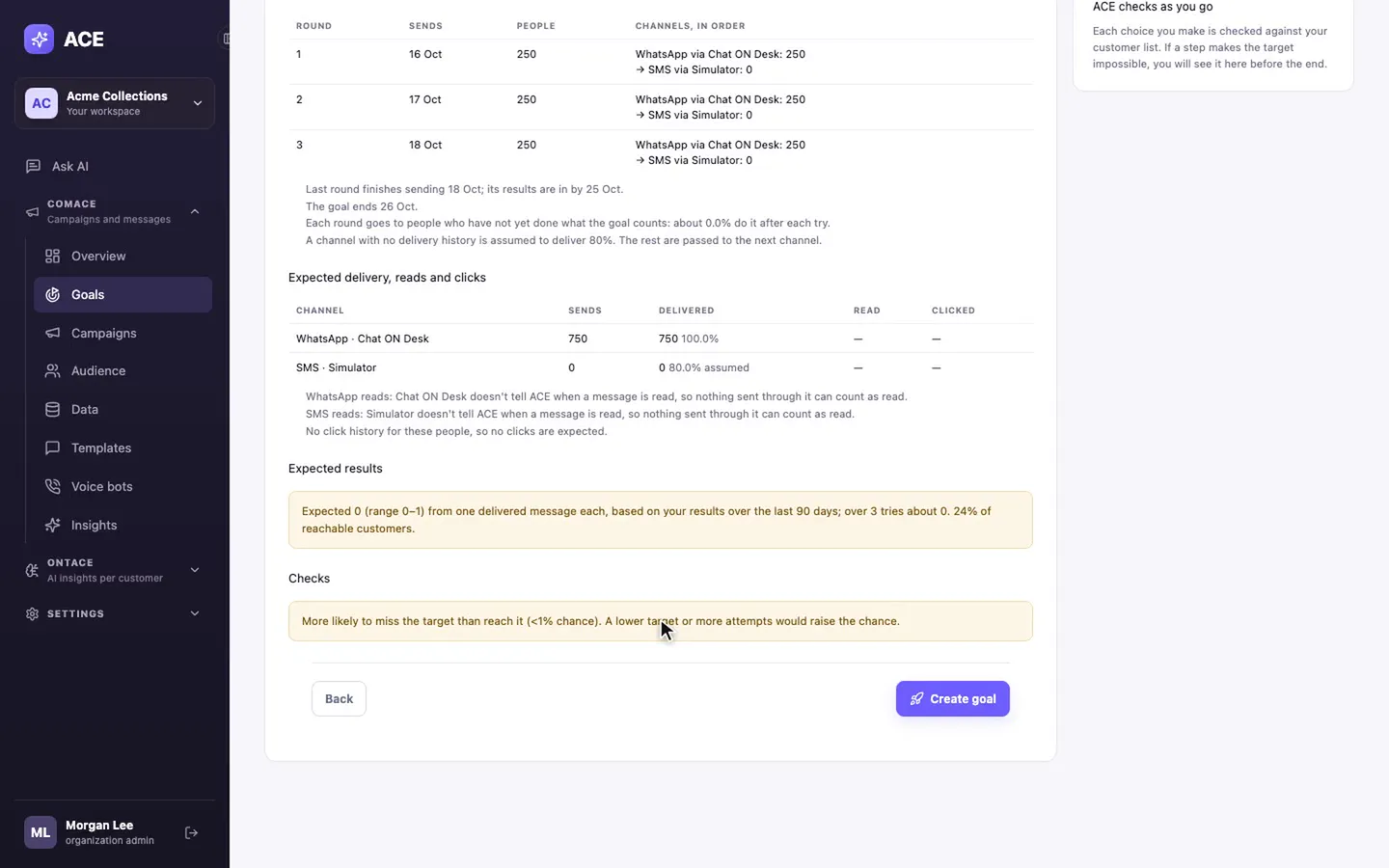
Before anything is sent, Review lays out the plan round by round: WhatsApp first, then SMS for anyone WhatsApp can't reach, with the expected results and a final check. If the target looks unlikely, ACE says so and suggests a lower target or more attempts. That's the point of the step: you find out now, not after the money is spent.
Press Run now, and the goal page shows customers found, sends planned and messages going out, then how close you are to the target.
What you need before you start
- A customer list: CSV or Excel, any column names. A phone number column is all a first goal needs.
- Your messaging provider's login: For WhatsApp, SMS, RCS or voice, from the supported list, or your own through a custom webhook.
- An approved template: Or sync the ones you already have approved with your provider.
- An AI provider key, for ONTACE: OpenAI, any OpenAI-compatible provider, or Azure OpenAI.
That's it. If you'd like us to walk your team through it on your own data, book a demo and we'll set up the first goal with you.