ACE Academy

From sign-up to your first goal, in four steps.

Describe your business once, connect your messaging providers, and give ACE a goal. These are the actual screens you'll use on day one.

STEP 1ACE

Set up your workspace

Tell ACE about your business once. Every goal and campaign starts from it.
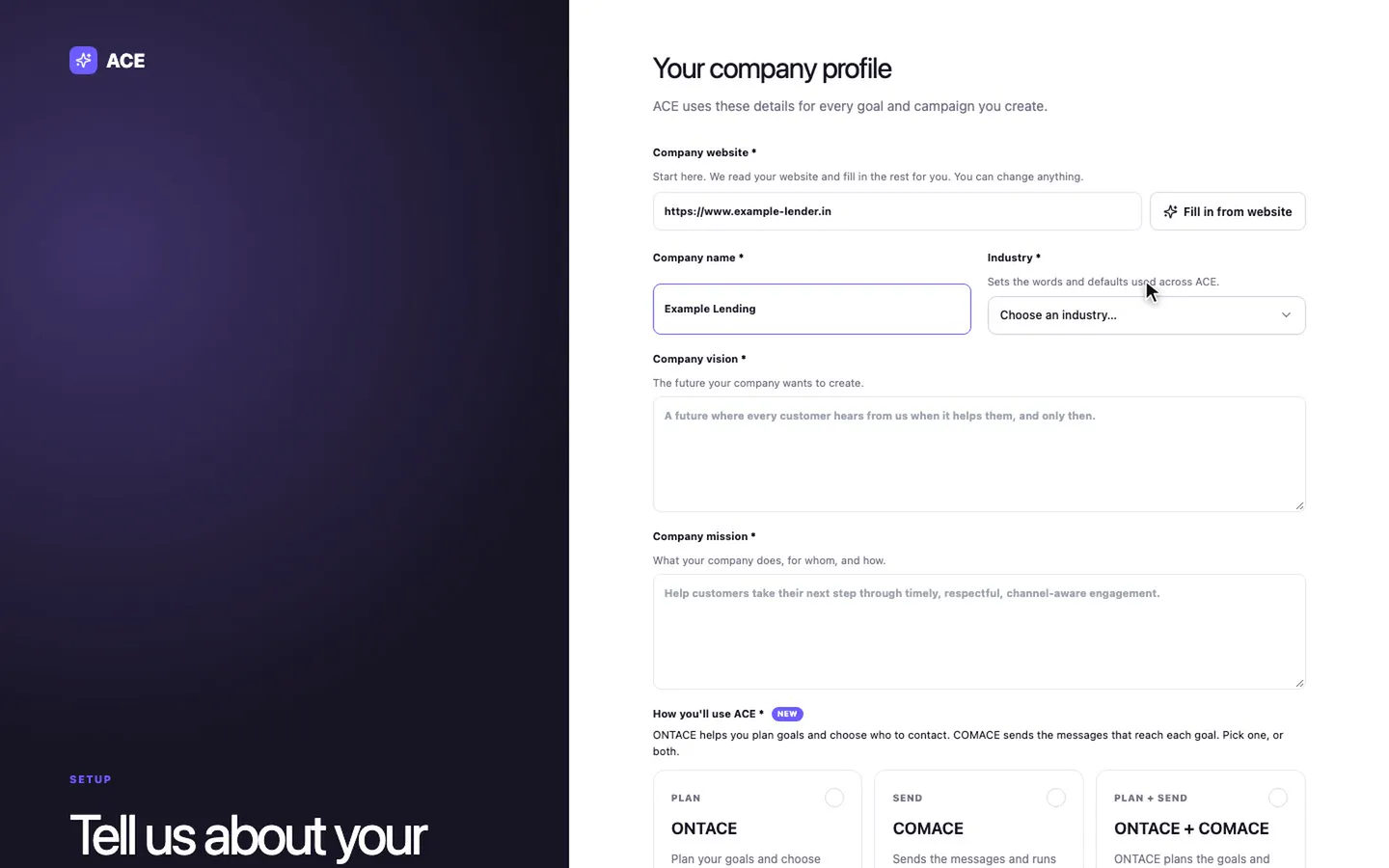
  • Start with your website: Fill in from website drafts the rest of the profile for you to edit.
  • Pick your industry. It sets the words and defaults you see across ACE.
  • Choose ONTACE, COMACE or both, and the business goals you care about. The first one is your main goal.
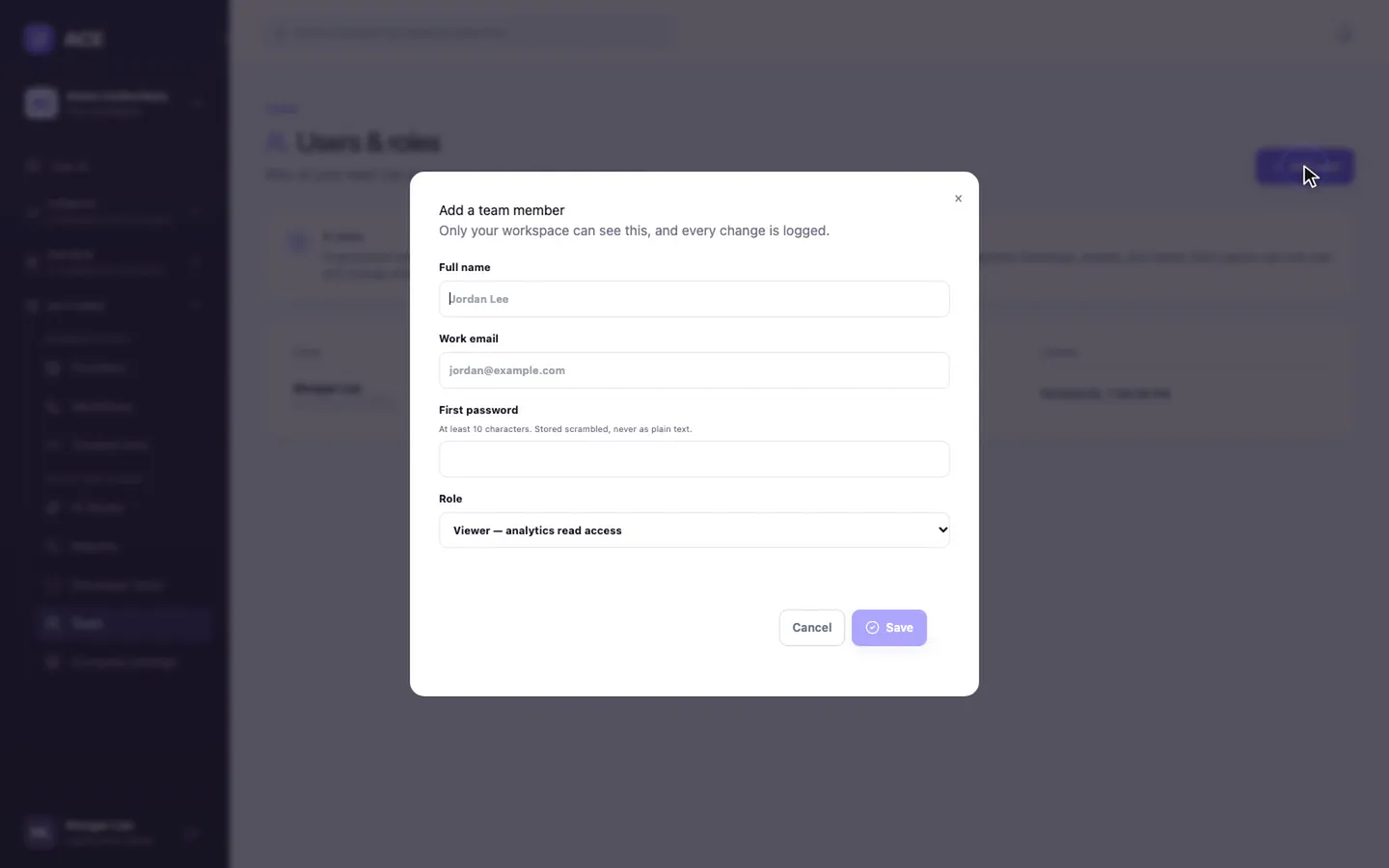
  • Invite your team with one of nine roles. ACE checks the role on every action.
The company profile form: website, company name and industry
Adding a team member with a name, work email and role
STEP 2COMACE

Connect your channels

Connect your messaging providers. ACE checks each channel before it sends.
  • Add a provider in six steps: provider, channel, credentials, a check, routing, activate. Nothing carries traffic until the check passes.
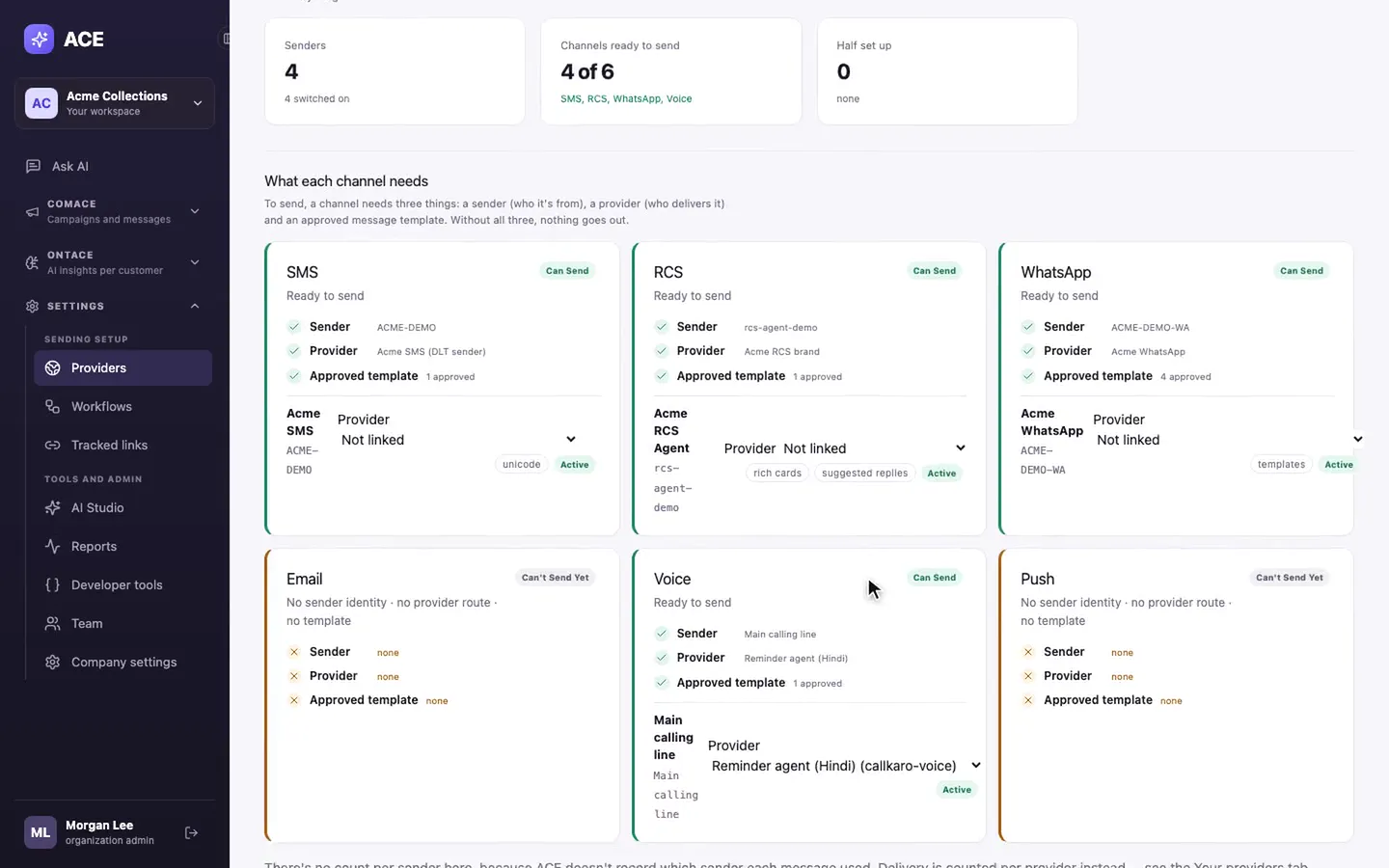
  • Ready to send? shows each channel's three needs: a sender, a provider and an approved template.
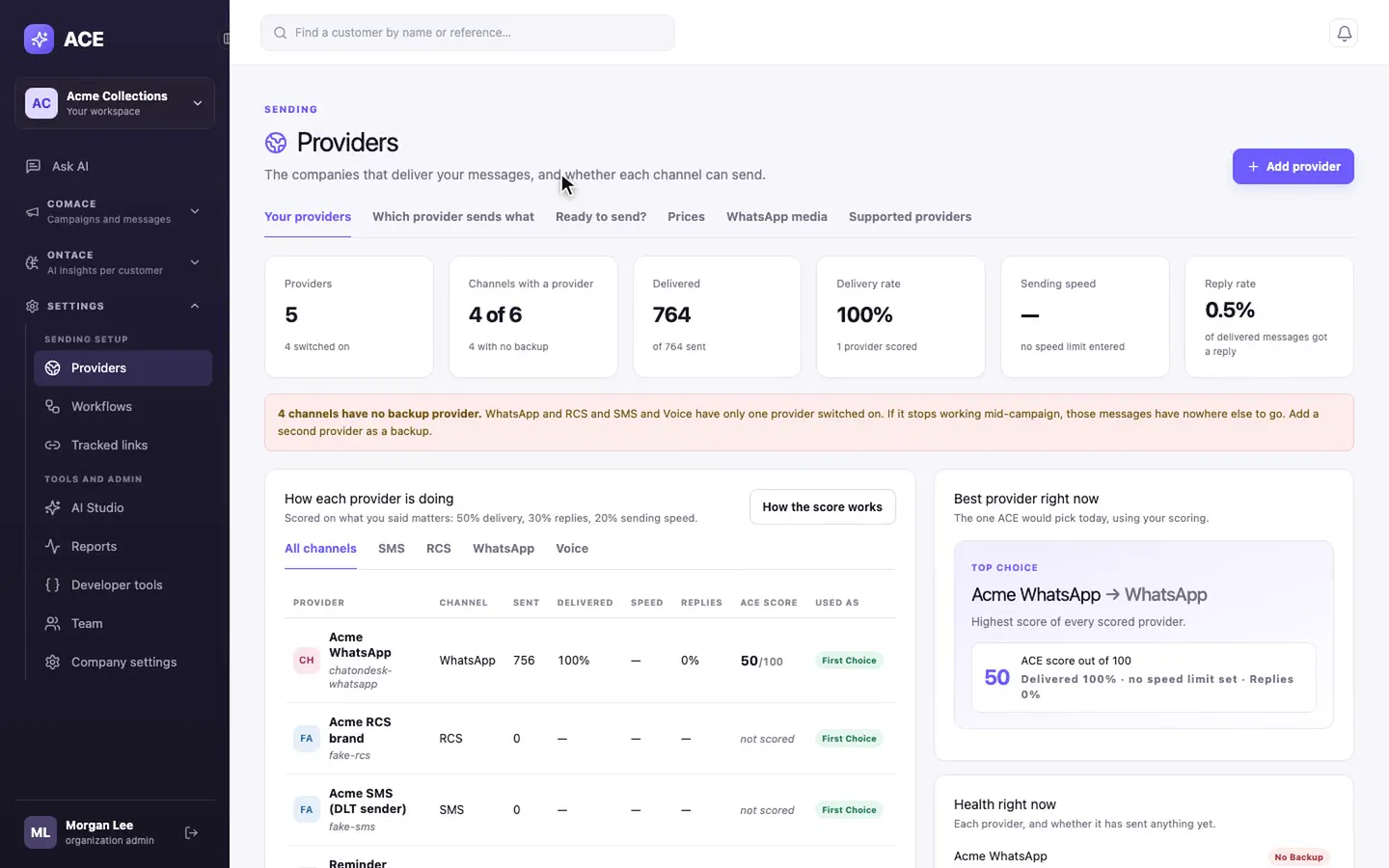
  • Add a second provider and it becomes the backup, so a bad day at one provider doesn't lose messages.
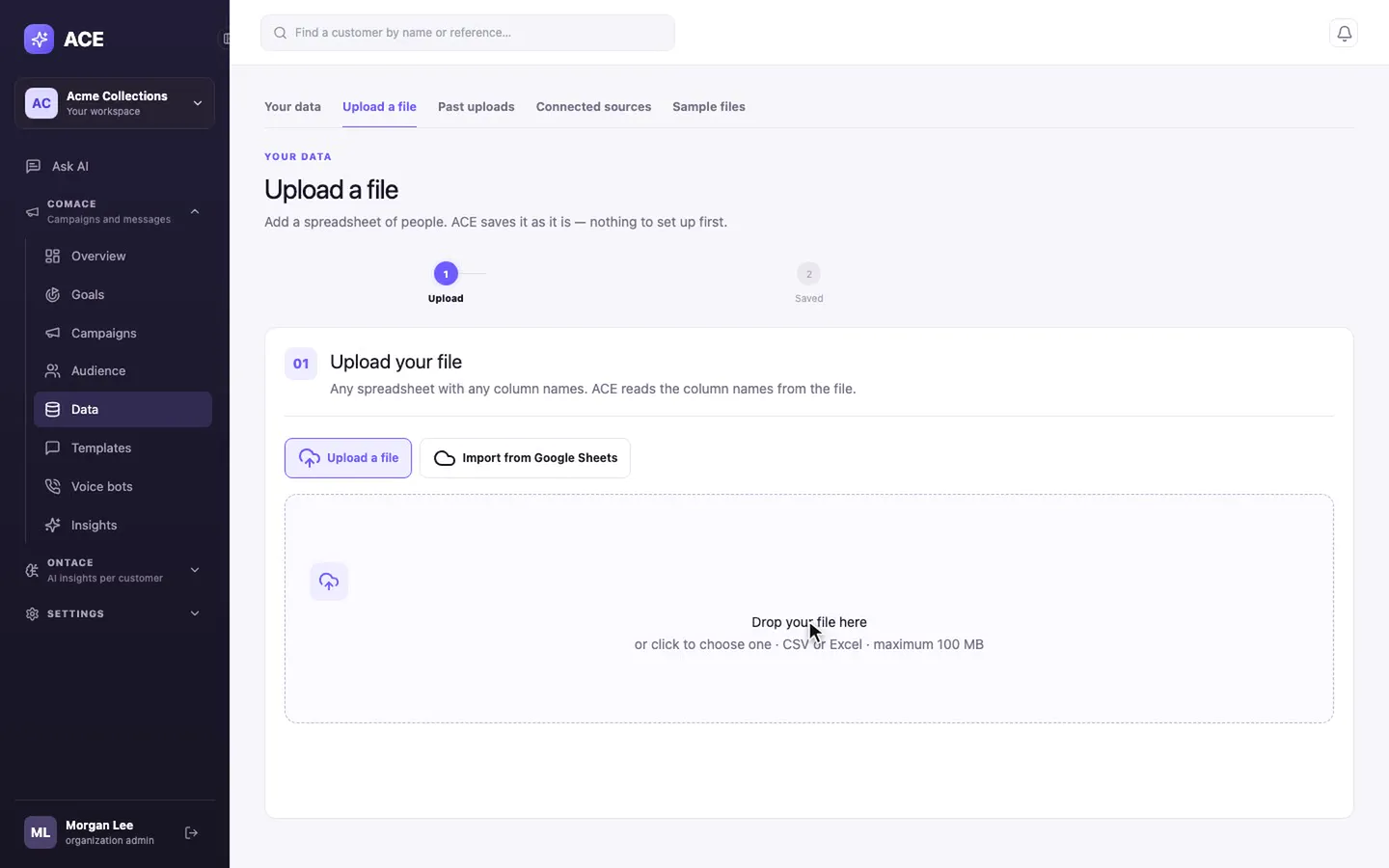
  • Upload a customer list as CSV or Excel with any column names. ACE finds the phone column for you.
Providers: delivery rate, reply rate and a warning that channels have no backup
Ready to send: sender, provider and approved template for each channel
Upload a file: drop a CSV or Excel file, or import from Google Sheets
STEP 3ONTACE

Set up ONTACE

Pick a starting pack and take one goal through eight short steps.
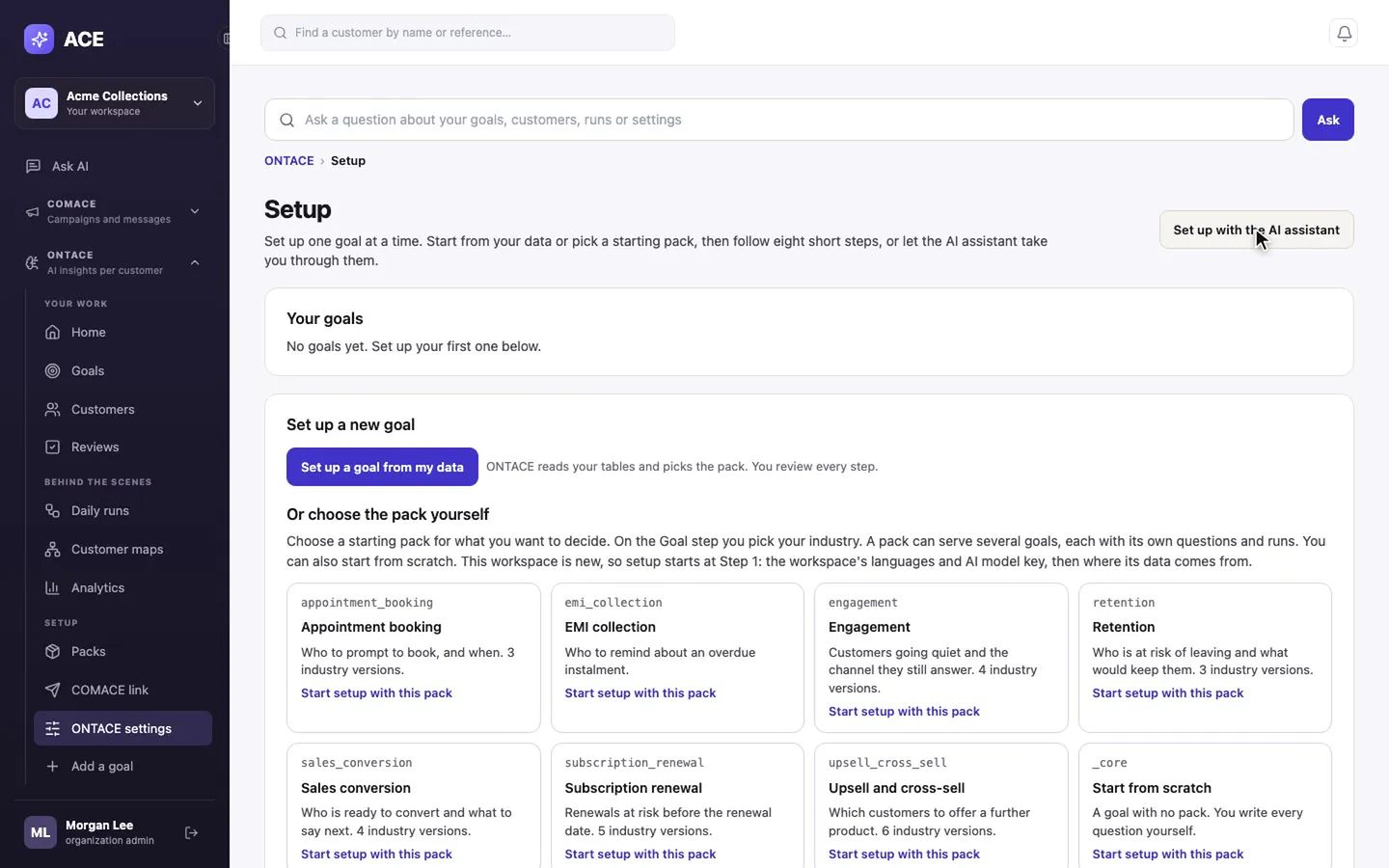
  • Start from a pack: EMI collection, sales conversion, subscription renewal, retention, upsell and cross-sell, engagement or appointment booking. Or start from scratch.
  • Or let ONTACE read your tables and pick the pack. You review every step either way.
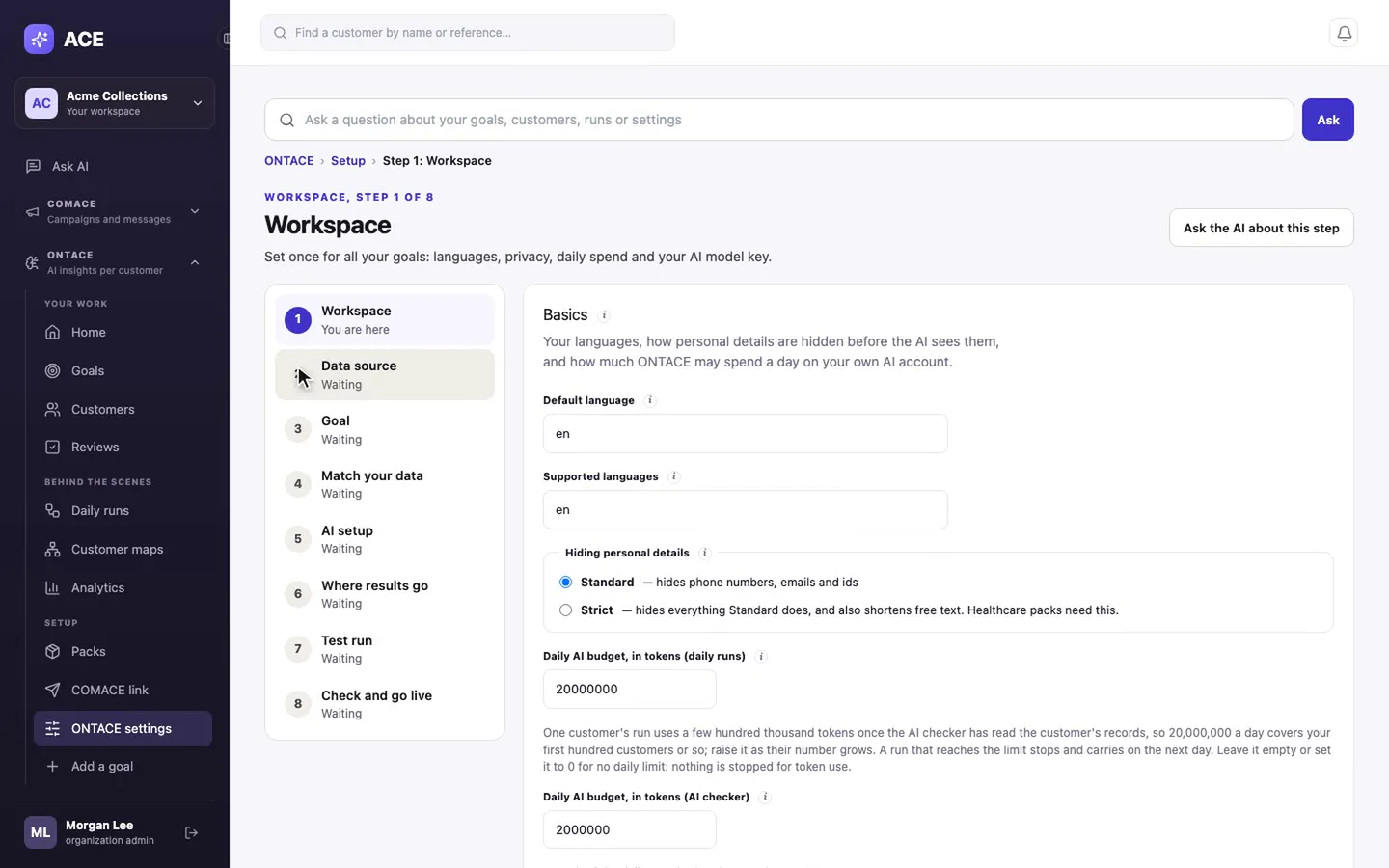
  • Eight steps: Workspace, Data source, Goal, Match your data, AI setup, Where results go, Test run, Check and go live.
  • ONTACE runs on your own AI provider account. Keys go to a secret store, never the database.
ONTACE setup: starting packs for common decisions
The eight setup steps, starting with the workspace
STEP 4COMACE

Run your first goal

Say the result you want. ACE picks who to contact, on which channel, and when.
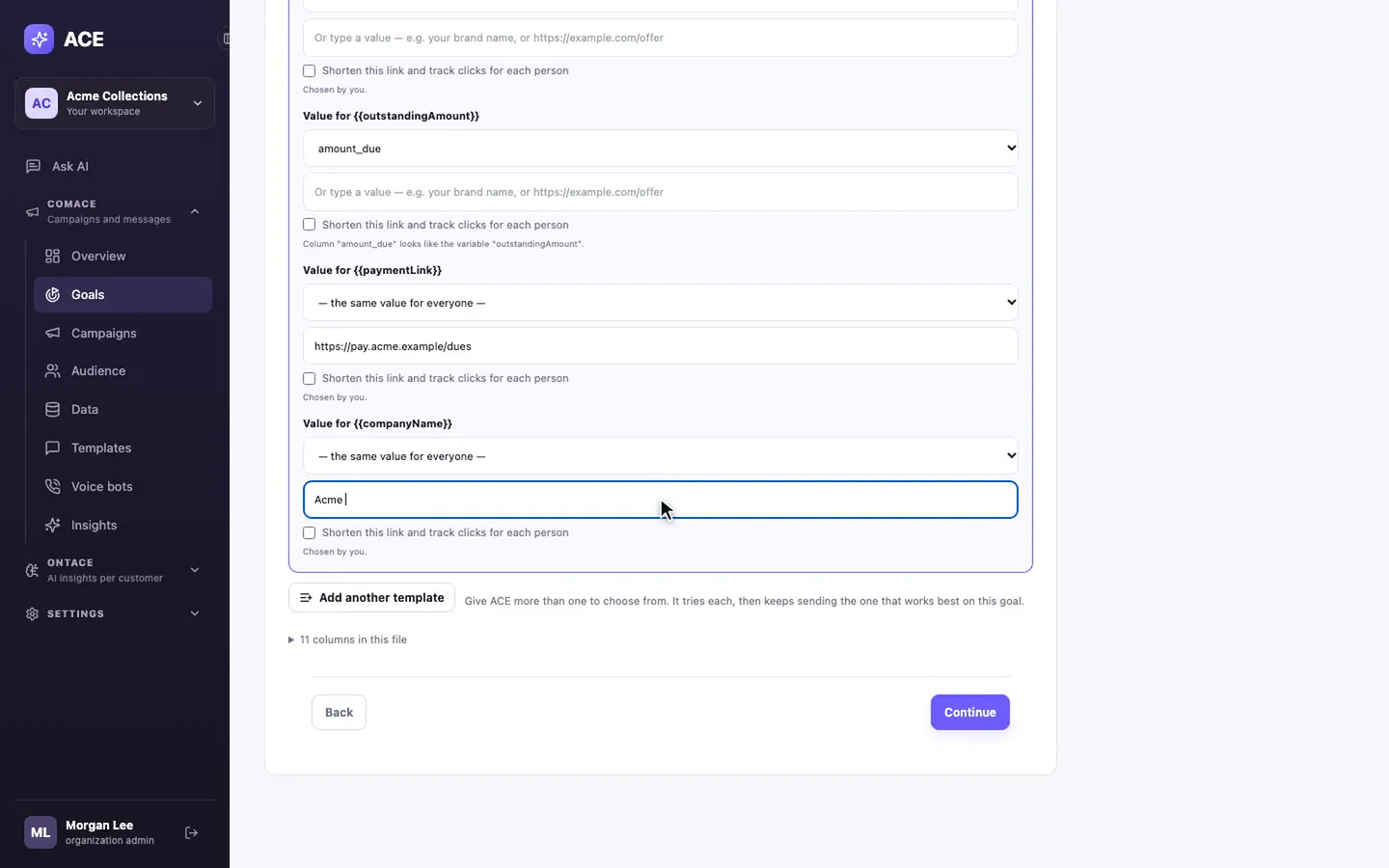
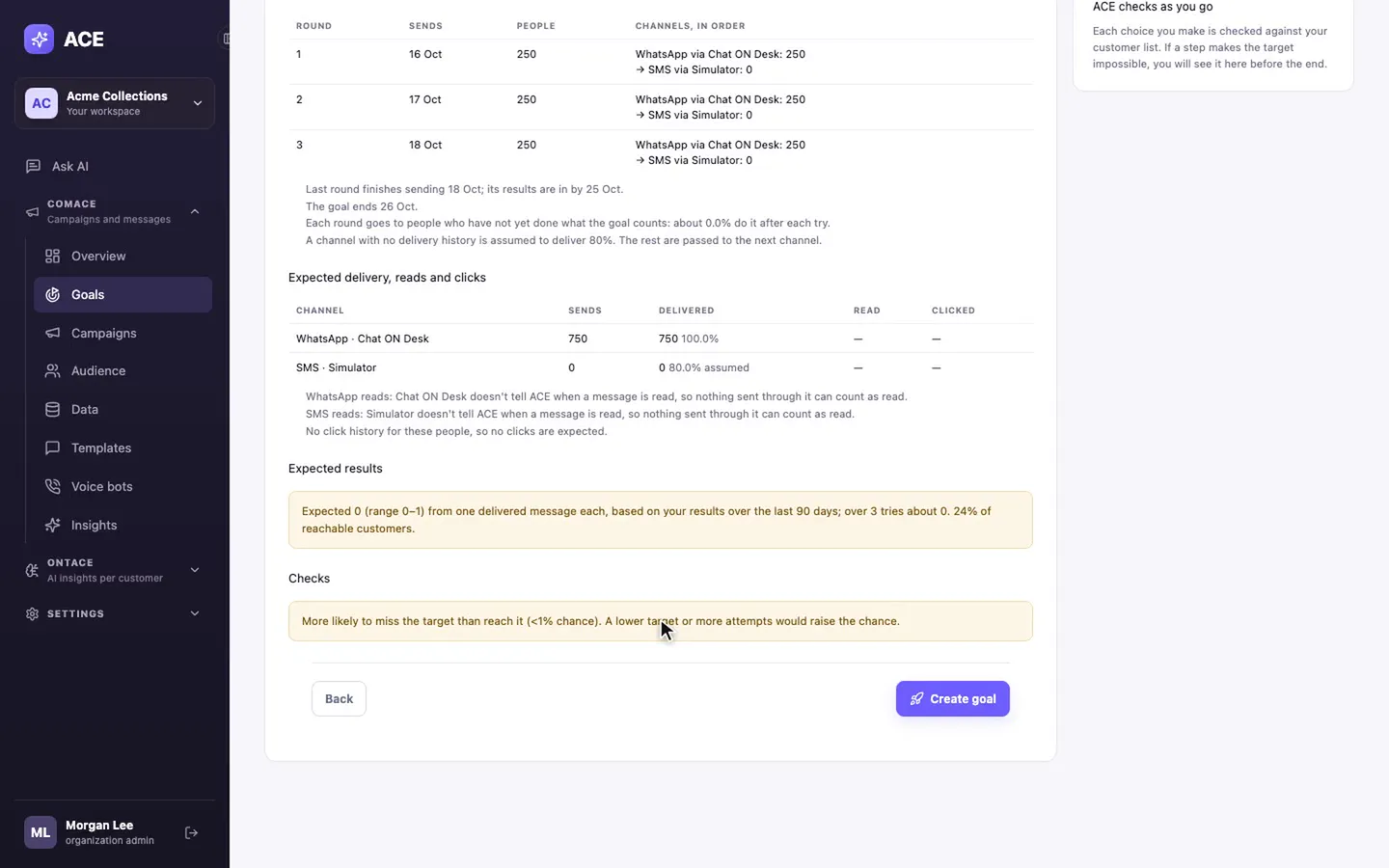
  • Six steps: Customers, Goal, Channels, Target, Messages, Review.
  • Every blank in a template is filled from a column in your file, so nobody gets a message with a gap.
  • Review shows the plan round by round and your chances before a single message goes out.
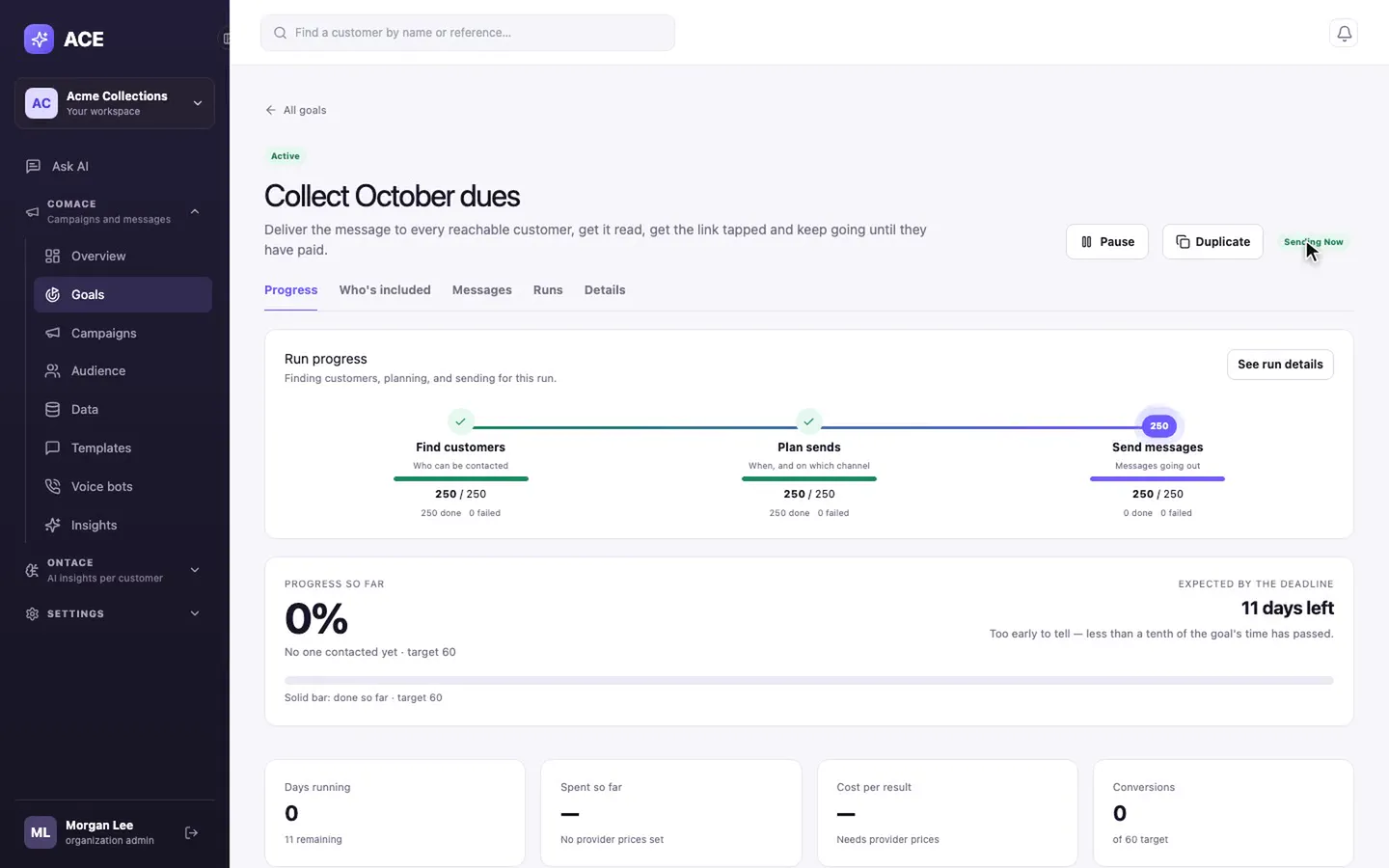
  • Press Run now, then watch progress on the goal's page.
Filling a template's blanks from the uploaded file's columns
Review: the round-by-round plan, expected results and a final check

Before you start

Four things to have ready.

Nothing to install. Everything else, ACE walks you through.

A customer list

CSV or Excel, any column names. A phone number column is all a first goal needs.

Your messaging provider's login

For WhatsApp, SMS, RCS or voice, from the supported list, or your own through a custom webhook.

An approved template

Or sync the ones you already have approved with your provider.

An AI provider key, for ONTACE

OpenAI, any OpenAI-compatible provider, or Azure OpenAI.

See it working

A few modules, up close.

What happens after setup: goals that run themselves, calls that report back, and follow-ups you describe in words.

A running goal: customers found, sends planned, messages going out
COMACE

Goals

One target, then ACE finds customers, plans each send and starts messaging. The goal page shows how close you are.
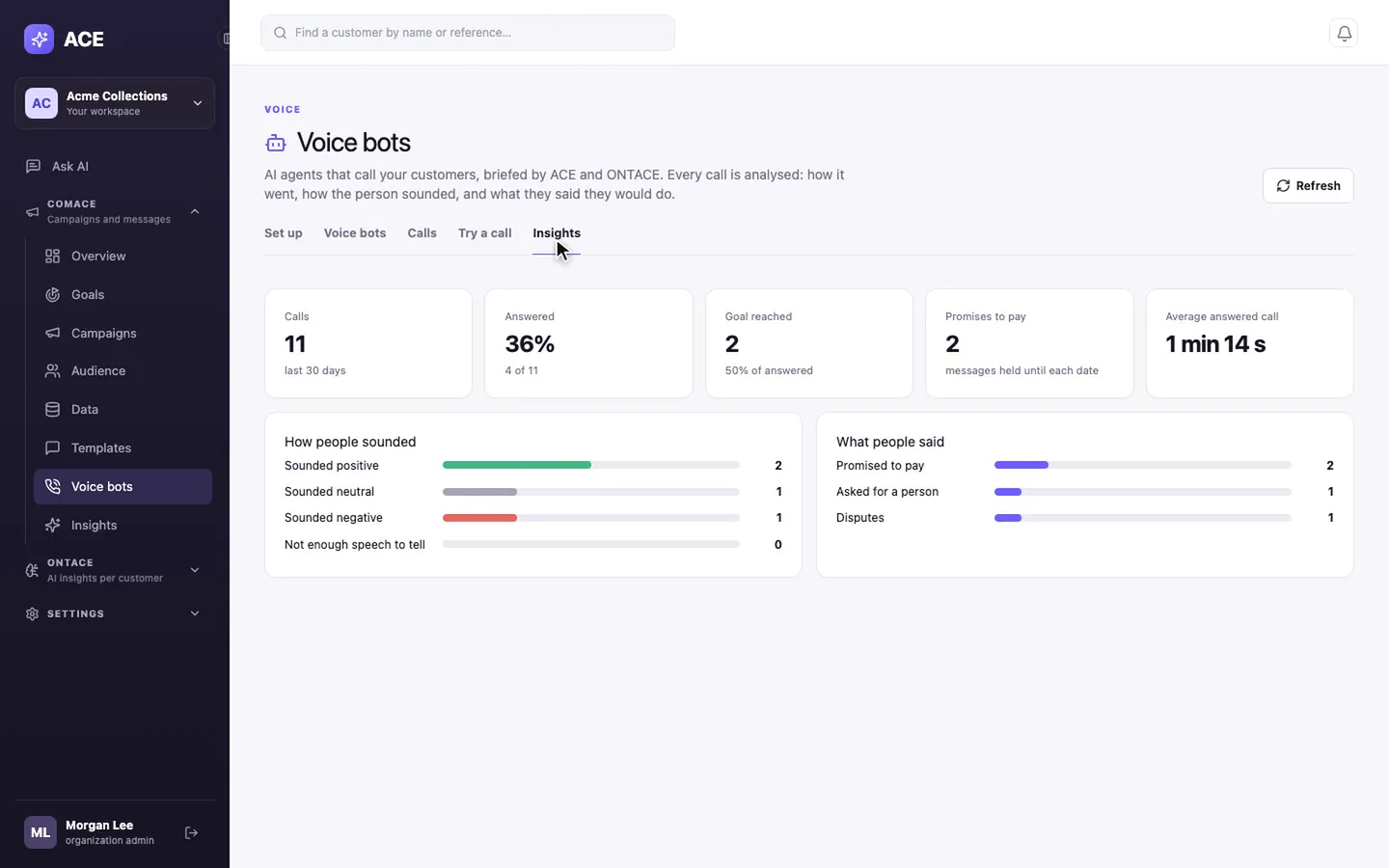
Voice bot insights: calls, answered, promises to pay and how people sounded
COMACE

Voice bots

AI agents call your customers, and every call is analysed: the outcome, how they sounded, what they promised.
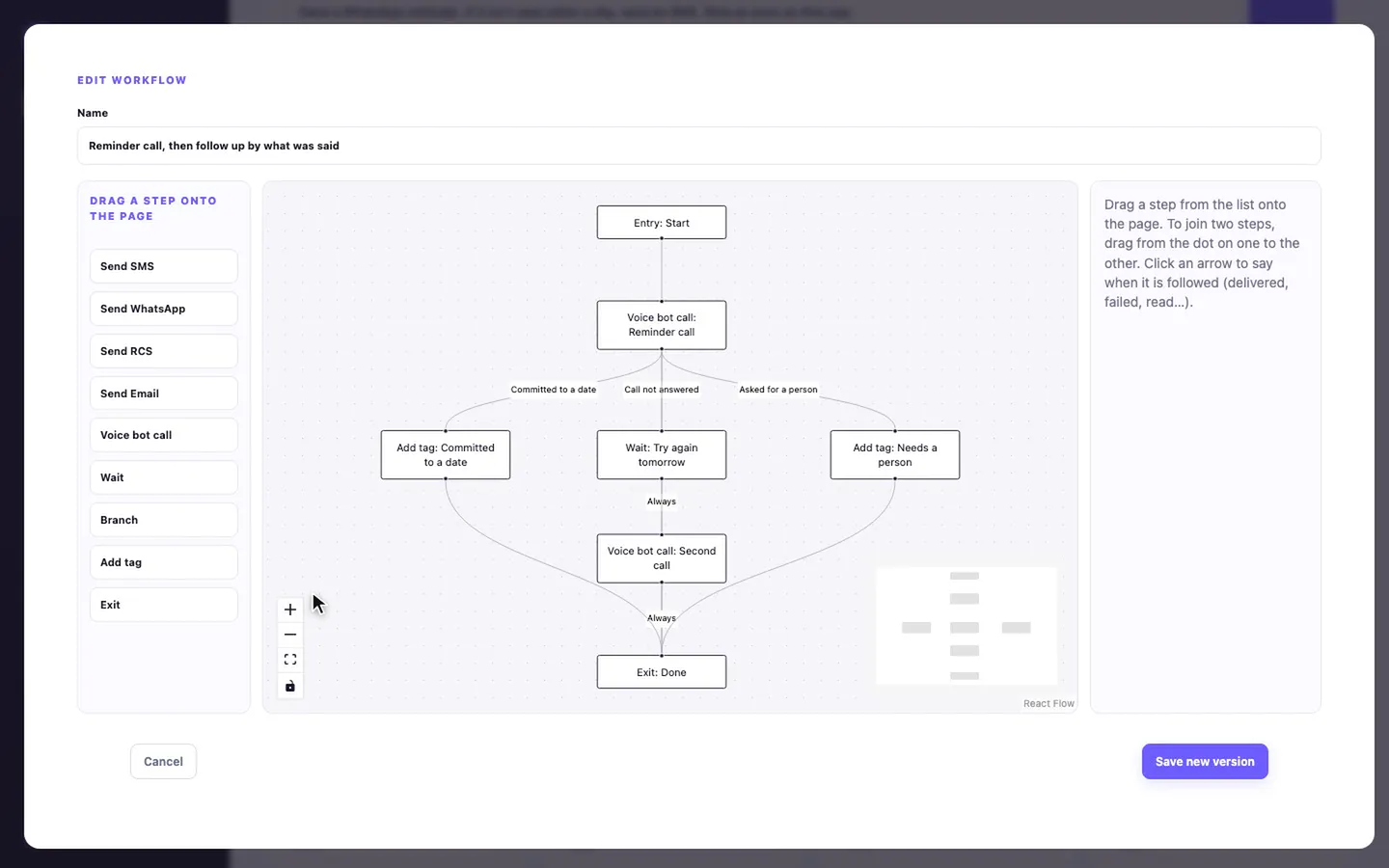
A journey that branches on the outcome of a reminder call
COMACE

Journeys

Describe a follow-up in everyday words and ACE draws it: call, then branch on what was said.

Watch the walkthroughs

Every step, narrated.

Short videos of the real screens, a couple of minutes each. Start with setup, or jump to the module you need.

ACE

Set up GetACE

Company profile, industry, team and workspace settings.

COMACE

Set up COMACE

Providers, channel readiness, templates and your first customer list.

ONTACE

Set up ONTACE

A starting pack, your data and AI keys, eight steps to go live.

COMACE

Run a goal

Set a target; ACE picks who, how and when, and shows your chances first.

COMACE

Overview

What was sent, what landed, what customers did, and what it cost.

COMACE

Campaigns

Send to a list on the channels you pick, and turn what works into a goal.

COMACE

Audience

Everyone in your data, how to reach them, and who replies.

COMACE

Data

Upload files, connect sources, confirm consent.

COMACE

Templates

WhatsApp, SMS, RCS and voice templates, and which goals use them.

COMACE

Voice bots

AI agents that call customers, with every call analysed.

COMACE

Insights

Plain questions about what worked, answered from your results.

COMACE

Journeys

What happens after the first message: read, ignored or replied.

ONTACE

How ONTACE helps your team

A prediction and a next step for every customer.

ONTACE

Ask AI

Ask about goals, customers and results in plain words.

ONTACE

Decisions and daily runs

How ONTACE decides each day, and where people step in.

COMACE

Senders and providers

Who delivers each channel, backups, scores and prices.

COMACE

Tracked links

Short links that show who clicked which message.

COMACE

AI Studio

Write messages in any channel and language, with a translation.

COMACE

Reports

Sent, delivered and replied, overall and by channel.

ACE

Developer tools

API keys, AI-agent access and the API reference.

ACE

Users and settings

Nine roles, who can do what, and workspace preferences.

From the blog

The whole path, screen by screen.

Want us to set up your first goal with you?

Bring a customer list. We'll connect a channel and run the first goal together, on your data.